468x60 Ads


Showing posts with label FILE MANAGERS. Show all posts

File Expert v4.1.2 Apk

0 comments


File Expert v4.1.2 Apk | 1.9 MB | Mediafire
Requires Android:2.1 and up

Powerful File Manager/WIFI File Transfer Web & FTP/App Manager - ALL in ONE. Best & Leading Android file manager of all time with enhanced WIFI sharing and management, root explorer and Bluetooth support! More than 6 millions of users worldwide and still fast growing! Join us today!

v4.1.2 update:
1. Root explorer mode finally finished Beta testing and now released as exclusive feature for all donate users only.
We have sent donate plugin to all previous Paypal donate users.
2. Built-in image viewer now supports multi-touch!
3. Add Polish, Portuguese and Turkish language support
4. Fix some bugs related to Bluetooth OBEX, file copying, batch app uninstall and batch app backup

Why choose FE? Here are the reasons:
1. No ADs and it's FREE
2. Gives you almost everything you need to manage your phone's resources
3. Smaller size than competitors like ES and Astro
4. Acceptable performance
5. Free technical support via email
6. Clear User Interface, and most operations can be done only in touch
7. The ONLY file manager that supports both PC 2 phone & phone 2 PC wifi file transfer and can directly play some videos and music via SMB
8. Root access support
9. Themes

Download

X-plore file manager v2.50 Apk

0 comments


X-plore file manager v2.50 Apk | 688 KB | Mediafire
Requires Android:2.1 and up

X-plore is dual-pane file explorer with tree view and root access.This is a dual-pane explorer, which means that there're two folders shown at same time, and common operation such as copying files are done from one pane to another.

v2.50 update:
- Startup password
- Fixes in: root FS, search FS, external cards, streaming from network, Picasa
- Usage statistics

Highlights:
* Dual-pane tree view
* Root access (on rooted devices), also allowing changes to read-only files
* Shows all internal and external memory locations
* Seamless work with Zip (as if it was normal folder)
* Favorites (folders, Zips) displayable in root
* Basic media info about images, video and audio files
* Built-in viewers for images, video, audio, text
* Hex viewer
* Fast Image viewer with zoom and slide to previous/next images in folder
* Thumbnails for images and video as well as for various file types (depending on associated application)
* Ability to clear default application handlers
* Multi-selection - always available, yet not disturbing
* Search files in folders (also in Zip or in search results)
* View APK files as ZIP
* Configurable buttons and key shortcuts

Download

Root Browser (File Manager) 1.4.0 FULL Apk

0 comments


Root Browser (File Manager) 1.4.0 FULL Apk | 2.3 MB | Mediafire
Requires Android:1.6 and up

Root Browser is for both non-root and rooted users. If you are rooted then this app will give you access to ALL of Android's file system. With a beautiful interface, tons of features and a cheap price Root Browser is a must have!

v1.4.0 update:
- Confirm popup when deleting files
- Home screen shortcuts for any folder
- Prompt to overwrite if file exists when pasting
- When zipping multiple files zip them into a single zip instead of multipe zips
- Attach files with other apps (like gmail)
- Add exit button (click the home button in the title bar)

For fast and friendly support please email us at JRummy16@gmail.com. We will be glad to help answer your questions and troubleshoot with you.

Features include:

☆ Batch copy/paste, zip, tar, delete, move any file or folder
☆ Change file permissions and ownership
☆ View and edit any file
☆ Move, copy, rename, and delete files.
☆ Create and delete directories (folders).
☆ Send files by email.
☆ Add new files & folders in any directory
☆ Install zips using clockwork recovery
☆ Execute script files
☆ Show list of files with thumbnails for images.
☆ Bookmark any folder
☆ Open files and folders with other apps
☆ Change the theme (double tap home button)
☆ Sort by name, size & date
☆ Search for files or folders

Note: If you get Rom Toolbox Pro this app is included ;)

Download - Market

Root Explorer (File Manager) 2.19 Apk

0 comments


Root Explorer (File Manager) 2.19 Apk | 273 KB | Mediafire
Requires Android:1.1 and up

Root Explorer is the ultimate file manager for root users. Access the whole of android's file system (including the elusive data folder!).

v2.19 update:
1. Added Russian, Portuguese, Danish and Hebrew language support.
2. More languages coming in the next few weeks.

Features include SQLite database viewer, Text Editor, create and extract zip or tar/gzip files, extract rar archives, multi-select, execute scripts, search, remount, permissions, bookmarks, send files (via email, bluetooth etc), image thumbnails, APK binary XML viewer, change file owner/group, create symbolic link, "Open With" facility, MD5.

For fast, friendly support simply email us: support@speedsoftware.co.uk

We will always try to help with any problem you may have with the app. If we can't help then you can have a refund, no questions asked.

Although 10,000+ five star ratings will tell you that most people are very satisfied customers. Make sure you read as many comments as possible to get a good idea of what most people think of the app.

We still respect the old 24 hour refund policy. So if you're not happy with the app just email us within 24 hours and you can have a refund. We'll need to know the order number, which you can find on the emails sent to you by Google when you downloaded.

Download - Market

File Expert v4.1.1 Apk

0 comments


File Expert v4.1.1 Apk | 1.9 MB | Mediafire
Requires Android:2.1 and up

Powerful File Manager/WIFI File Transfer Web & FTP/App Manager - ALL in ONE. Best & Leading Android file manager of all time with enhanced WIFI sharing and management, root explorer and Bluetooth support! More than 6 millions of users worldwide and still fast growing! Join us today!

v4.1.1 update:
1. Fix all root mode related bugs
2. Optimized Get New Apps loading policy

Why choose FE? Here are the reasons:
1. No ADs and it's FREE
2. Gives you almost everything you need to manage your phone's resources
3. Smaller size than competitors like ES and Astro
4. Acceptable performance
5. Free technical support via email
6. Clear User Interface, and most operations can be done only in touch
7. The ONLY file manager that supports both PC 2 phone & phone 2 PC wifi file transfer and can directly play some videos and music via SMB
8. Root access support
9. Themes

Download

ES File Explorer v1.6.1.1 Apk

0 comments


ES File Explorer v1.6.1.1 Apk | 2.1 MB | Mediafire
Requires Android:1.6 and up

Featured File manager & App manager which can explore the phones & computers. 30 millions global downloads in 2011! One of best tools on Android market.Support 19 languages.

v1.6.1.1 change log:
1) Batch Uninstall
2) Disk Usage Graph
3) Uninstall System App
4) Customize Background
5) Change Language

ES File Explorer for Android is a free, featured all-in-one file manager & application manager & task killer & dropbox client & ftp client which explores your phone and your computer. It allows android users anywhere in the world to manage their resources for free, it makes easy to manage, stay connected using your 3G, EDGE or WiFi, and share with friends, upload photos, watch videos.

Download

AndExplorer v2.2 Apk

0 comments


AndExplorer v2.2 Apk | 256 KB | Mediafire
Requires Android:1.0 and up

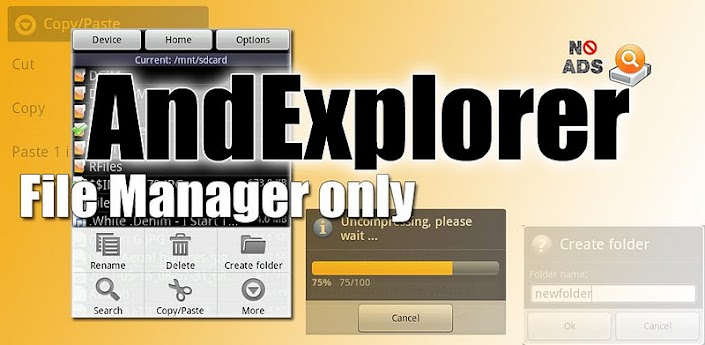
AndExplorer is a free file manager for Android devices. It allows browsing files and folders stored on device and sdcard. It can sort by name, size and date. Copy/Paste, rename, delete, create folder, send file as email attachment features are available.

It is able to uncompress ZIP, GZIP and TAR files too. Encrypted ZIP are supported. It can be called from another application through Intent facilities. No permission other than storage/write one is needed. AndExplorerPro provides search and ZIP archive support.

Main features:
- List files and folders sorted by name, size and date.
- Open file (HTML, MP3, Text, Video, Office ...) on device.
- APK install support.
- Uncompress support for ZIP, GZIP and TAR files.
- Encrypted ZIP support
- ZIP compression support
- Regular and UTF-8 encoding support for ZIP.
- Multiple files and folders selection support.
- Rename file(s) support.
- Delete file(s) support.
- Create folder(s) support.
- Cut/Copy/Paste support.
- Files/Folders details support.
- Search support
- Send file support (as email attachment, bluetooth, ...).
- Back button support.
- Show hidden files support.
- Optional "Tip of day".
- Intent to select file and/or directory (file extension filtering)
- Intent to Save As...
- Intent to uncompress file into SD Card.
- App2SD support.
- English, French, German, Spanish, Chinese, Japanese, Polish, Russian, Korean, Portuguese, Romanian, Serbian and Brazilian language support.

Download

Root Explorer (File Manager) 2.18 Apk

0 comments


Root Explorer (File Manager) 2.18 Apk | 273 KB | Mediafire
Requires Android:1.1 and up

Root Explorer is the ultimate file manager for root users. Access the whole of android's file system (including the elusive data folder!).

v2.18 update:
- Added German and Spanish language support.

Features include SQLite database viewer, Text Editor, create and extract zip or tar/gzip files, extract rar archives, multi-select, execute scripts, search, remount, permissions, bookmarks, send files (via email, bluetooth etc), image thumbnails, APK binary XML viewer, change file owner/group, create symbolic link, "Open With" facility, MD5.

For fast, friendly support simply email us: support@speedsoftware.co.uk

We will always try to help with any problem you may have with the app. If we can't help then you can have a refund, no questions asked.

Although 10,000+ five star ratings will tell you that most people are very satisfied customers. Make sure you read as many comments as possible to get a good idea of what most people think of the app.

We still respect the old 24 hour refund policy. So if you're not happy with the app just email us within 24 hours and you can have a refund. We'll need to know the order number, which you can find on the emails sent to you by Google when you downloaded.

Download - Market

File Expert v4.1.0 Apk

0 comments


File Expert v4.1.0 Apk | 1.9 MB | Mediafire
Requires Android:2.1 and up

Powerful File Manager/WIFI File Transfer Web & FTP/App Manager - ALL in ONE. Best & Leading Android file manager of all time with enhanced WIFI sharing and management, root explorer and Bluetooth support! More than 6 millions of users worldwide and still fast growing! Join us today!

v4.1.0 update:
1. Fix a bug when copying files on vdisk cloud storage
2. Fix a bug when renaming a file
3. Change the way to donate, you can buy File Expert Donate Plugin from Android market to donate.

Why choose FE? Here are the reasons:
1. No ADs and it's FREE
2. Gives you almost everything you need to manage your phone's resources
3. Smaller size than competitors like ES and Astro
4. Acceptable performance
5. Free technical support via email
6. Clear User Interface, and most operations can be done only in touch
7. The ONLY file manager that supports both PC 2 phone & phone 2 PC wifi file transfer and can directly play some videos and music via SMB
8. Root access support
9. Themes

Download

X-plore file manager v2.47 Apk

0 comments


X-plore file manager v2.47 Apk | 688 KB | Mediafire
Requires Android:2.1 and up

X-plore is dual-pane file explorer with tree view and root access.This is a dual-pane explorer, which means that there're two folders shown at same time, and common operation such as copying files are done from one pane to another.

v2.47 update:
- New text file creating
- Setting file permissions (on files in root)
- Desktop shortcuts also to files
- Config option: open APK as ZIP by default
- Config option: alternative swipe to switch pane
- Fixed Rar extract bug

Highlights:
* Dual-pane tree view
* Root access (on rooted devices), also allowing changes to read-only files
* Shows all internal and external memory locations
* Seamless work with Zip (as if it was normal folder)
* Favorites (folders, Zips) displayable in root
* Basic media info about images, video and audio files
* Built-in viewers for images, video, audio, text
* Hex viewer
* Fast Image viewer with zoom and slide to previous/next images in folder
* Thumbnails for images and video as well as for various file types (depending on associated application)
* Ability to clear default application handlers
* Multi-selection - always available, yet not disturbing
* Search files in folders (also in Zip or in search results)
* View APK files as ZIP
* Configurable buttons and key shortcuts

Download

ASTRO File Manager Pro v3.1.288 Apk

0 comments


ASTRO File Manager Pro v3.1.288 Apk | 2.4 MB | Mediafire
Requires Android:1.5 and up

ASTRO File Manager helps organize your pictures, music, videos and other files.

v3.1.288 update:
- Several minor bugs were fixed.

Features include:
- File management
- File and/or app backup
- Image and text viewers
- Networking
- Bluetooth
- SFTP
- Zip/ Tar
- Downloader
- Thumbnails
- Search files
- Application manager
- Task manager
- Attachments and more…

Download

X-plore file manager v2.45 Apk

0 comments


X-plore file manager v2.45 Apk | 688 KB | Mediafire
Requires Android:2.1 and up

X-plore is dual-pane file explorer with tree view and root access.This is a dual-pane explorer, which means that there're two folders shown at same time, and common operation such as copying files are done from one pane to another.

v2.45 update:
- Sharing files from any location: local, network, zip (works on Android 2.3+)
- More system integration:
- add folder shortcuts to Home screen
- open Zip, Rar in X-plore
- selecting file (e.g. attachment from Email app)
- fixed bug in Rar extracting
- better video thumbnails

Highlights:
* Dual-pane tree view
* Root access (on rooted devices), also allowing changes to read-only files
* Shows all internal and external memory locations
* Seamless work with Zip (as if it was normal folder)
* Favorites (folders, Zips) displayable in root
* Basic media info about images, video and audio files
* Built-in viewers for images, video, audio, text
* Hex viewer
* Fast Image viewer with zoom and slide to previous/next images in folder
* Thumbnails for images and video as well as for various file types (depending on associated application)
* Ability to clear default application handlers
* Multi-selection - always available, yet not disturbing
* Search files in folders (also in Zip or in search results)
* View APK files as ZIP
* Configurable buttons and key shortcuts

Download

X-plore file manager v2.40 Apk

0 comments


X-plore file manager v2.40 Apk | 688 KB | Mediafire
Requires Android:2.1 and up

X-plore is dual-pane file explorer with tree view and root access.This is a dual-pane explorer, which means that there're two folders shown at same time, and common operation such as copying files are done from one pane to another.

v2.40 update:
- FTP/FTPS servers
- Spanish, Korean localization
- Improved image viewer

Highlights:
* Dual-pane tree view
* Root access (on rooted devices), also allowing changes to read-only files
* Shows all internal and external memory locations
* Seamless work with Zip (as if it was normal folder)
* Favorites (folders, Zips) displayable in root
* Basic media info about images, video and audio files
* Built-in viewers for images, video, audio, text
* Hex viewer
* Fast Image viewer with zoom and slide to previous/next images in folder
* Thumbnails for images and video as well as for various file types (depending on associated application)
* Ability to clear default application handlers
* Multi-selection - always available, yet not disturbing
* Search files in folders (also in Zip or in search results)
* View APK files as ZIP
* Configurable buttons and key shortcuts

Download

Doggie - ICS File Explorer v1.1 Apk

0 comments


Doggie - ICS File Explorer v1.1 Apk | 998 KB | Mediafire
Requires Android:1.6 and up

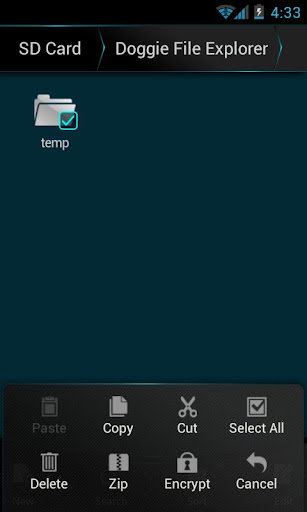
Doggie-ICS File Explorer, designed for Android 4.0 Ice Cream Sandwich, it also enables Android 1.6, 2.* device users to experience ICS.

->Easy to view and manage a mass of stuff, files and folders in your device, just with a click.
->Quickly switch the file directory and open file & folder.
->"FAVORITES", super convenient and fast to check your commonly used files or folders.
->Promptly explore and search files.
->Edit/create /copy/paste/cut/rename and more functions provided.
->Zip files.
->A privacy service provided! You can encrypt important files and folders, cooler and safer.
->Get easy online storage by Connect to Dropbox
Doggie file explorer is totally free, designed & developed for Android device users. More functions are on the way.

Download

File Expert v4.0.9 Apk

0 comments


File Expert v4.0.9 Apk | 1.9 MB | Mediafire
Requires Android:2.1 and up

Powerful File Manager/WIFI File Transfer Web & FTP/App Manager - ALL in ONE. Best & Leading Android file manager of all time with enhanced WIFI sharing and management, root explorer and Bluetooth support! More than 6 millions of users worldwide and still fast growing! Join us today!

v4.0.8 update:
1. Huge improve search performance
2. Reported bug fixes

Why choose FE? Here are the reasons:
1. No ADs and it's FREE
2. Gives you almost everything you need to manage your phone's resources
3. Smaller size than competitors like ES and Astro
4. Acceptable performance
5. Free technical support via email
6. Clear User Interface, and most operations can be done only in touch
7. The ONLY file manager that supports both PC 2 phone & phone 2 PC wifi file transfer and can directly play some videos and music via SMB
8. Root access support
9. Themes

Download

File Expert v4.0.8 Apk

0 comments


File Expert v4.0.8 Apk | 1.9 MB | Mediafire
Requires Android:2.1 and up

Powerful File Manager/WIFI File Transfer Web & FTP/App Manager - ALL in ONE. Best & Leading Android file manager of all time with enhanced WIFI sharing and management, root explorer and Bluetooth support! More than 6 millions of users worldwide and still fast growing! Join us today!

v4.0.8 update:
1. Huge improve search performance
2. Reported bug fixes

Why choose FE? Here are the reasons:
1. No ADs and it's FREE
2. Gives you almost everything you need to manage your phone's resources
3. Smaller size than competitors like ES and Astro
4. Acceptable performance
5. Free technical support via email
6. Clear User Interface, and most operations can be done only in touch
7. The ONLY file manager that supports both PC 2 phone & phone 2 PC wifi file transfer and can directly play some videos and music via SMB
8. Root access support
9. Themes

Download